BillGuru: Offline POS & Billing App for Retail Shops
BillGuru is an Android point of sale and retail billing app built by Saga Softwares for shops that cannot afford downtime. Bill offline, print on Bluetooth thermal printers, scan barcodes, manage stock and see live sales reports — free to install from Google Play.
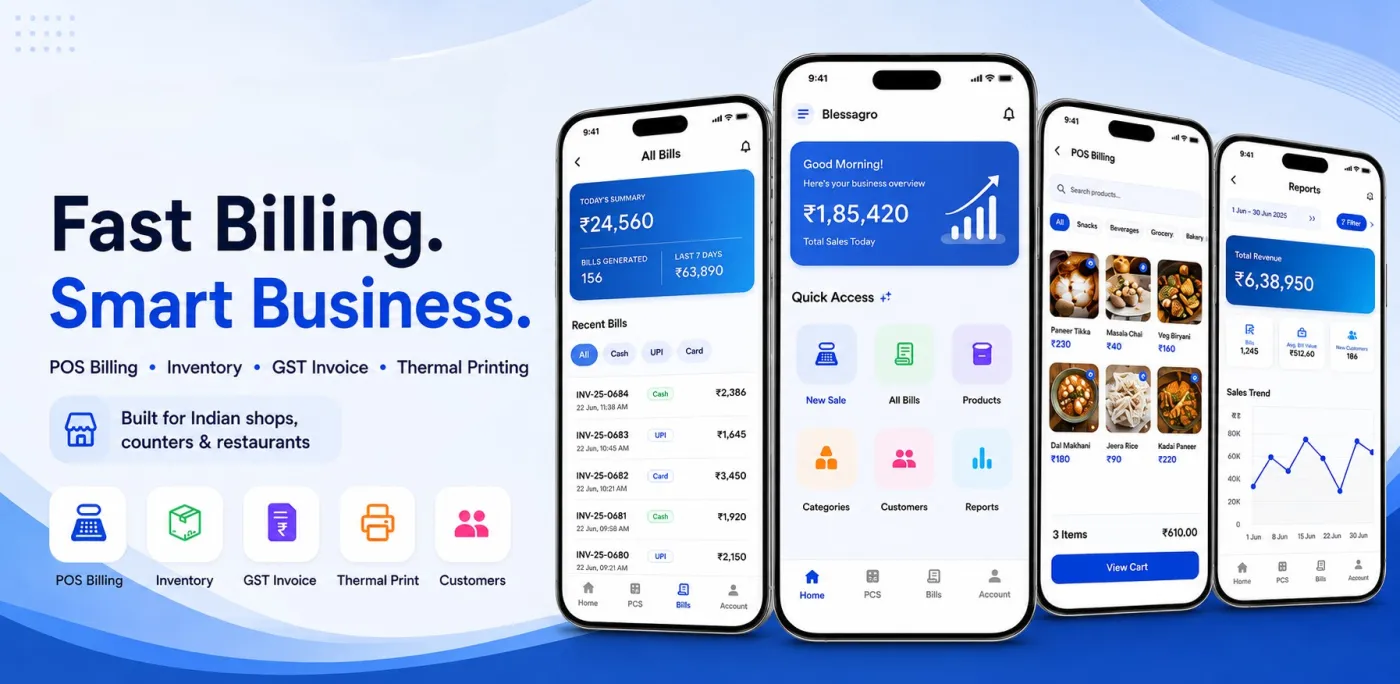
What is BillGuru?
BillGuru is a mobile point-of-sale system that replaces the paper ledger, the calculator and the spreadsheet with a single Android app. A shopkeeper adds products once, then bills customers by scanning a barcode or searching a name, chooses a payment mode, and prints a receipt on a Bluetooth thermal printer. Stock levels, daily revenue and profit figures update as bills are created.
The part that matters most in Indian retail is that none of this depends on a live connection. Broadband and mobile data fail at exactly the wrong moment — a busy evening, a festival rush, a power cut down the street. BillGuru keeps working: bills are written to local storage, the sale completes, the receipt prints, and the queued transactions upload to the cloud backend on their own once the network returns.
It is built and maintained by Saga Softwares, the same team that builds custom CRM, ERP, billing and finance platforms for businesses across India. BillGuru is our productised version of the POS and billing work we have delivered for shops and distributors — packaged, hardened and given away free rather than quoted per project.
What BillGuru does at the counter
Everything below ships in the free Android app — no add-on modules, no per-feature upgrades.
Offline-first billing
Bills are created and printed on the phone even with no network. Sales are queued locally and synced to the cloud automatically once connectivity returns.
Bluetooth thermal printing
Native support for standard 58mm and 80mm Bluetooth thermal printers. Pair once and print a clean customer receipt in seconds.
Barcode-ready inventory
Products carry barcode, price, cost, tax rate, stock quantity, image, category and active status. Oversell protection blocks billing at zero stock.
GST and non-GST invoices
Tax handling can be switched on or off per business, so the same app suits GST-registered shops and small non-GST counters.
Multiple payment modes
Record cash, UPI, card or other payment methods against every bill so daily collection reconciles cleanly.
Sales and profit reports
Daily and date-range reports covering revenue, payment splits, margin and top-selling products, with charts that update in real time.
Customer records
Save customer details and billing history for repeat billing, follow-ups and simpler service at the counter.
Multi-branch and roles
Business profiles, branch isolation, owner-scoped records and role permissions for shops running more than one location.
Which shops BillGuru is built for
BillGuru targets single-counter and small multi-counter retail: businesses where one or two people handle billing, stock and cash, and where desktop POS billing software would be overkill.
-
Grocery, kirana and supermarket
High-volume barcode scanning, loose and packed items, daily stock counts and fast cash or UPI checkout.
-
Medical, chemist and pharmacy
Batch-wise product entry, tax-compliant invoices and quick repeat billing for regular patients.
-
Mobile and electronics shops
Higher-value items with margin tracking, customer records and printed warranty-ready receipts.
-
Clothing, footwear and garments
Size and variant handling as separate products, seasonal discounting and category-level sales reports.
-
Hardware and building material
Mixed unit pricing, wholesale and retail rates, and credit customers tracked against their billing history.
-
Bakery, cafe and small restaurant
Quick-tap menu items, instant kitchen or counter receipts and daily revenue totals per shift.
-
Stationery, gift and general stores
Large catalogues with low-value items, fast search and low-stock alerts before a line runs out.
-
Distributors and wholesale counters
Bulk quantities, cost-price margin visibility and multi-branch reporting for owners across locations.
How a shift runs with BillGuru
-
01
Set up the catalogue
Add products with barcode, selling price, cost price, tax and opening stock. A typical counter is ready in minutes, not days.
-
02
Bill at the counter
Scan or search an item, adjust quantity or discount, pick the payment mode and close the sale in a few taps.
-
03
Print the receipt
Send the bill straight to a paired Bluetooth thermal printer. The customer walks away with a proper printed receipt.
-
04
Sync and review
The offline queue uploads silently in the background and the owner sees updated revenue, stock and profit reports.
BillGuru mobile POS app screenshots
Every screen a shopkeeper touches during a shift — billing, payment, receipts, invoice history, inventory and sales reports — running on an ordinary Android phone.
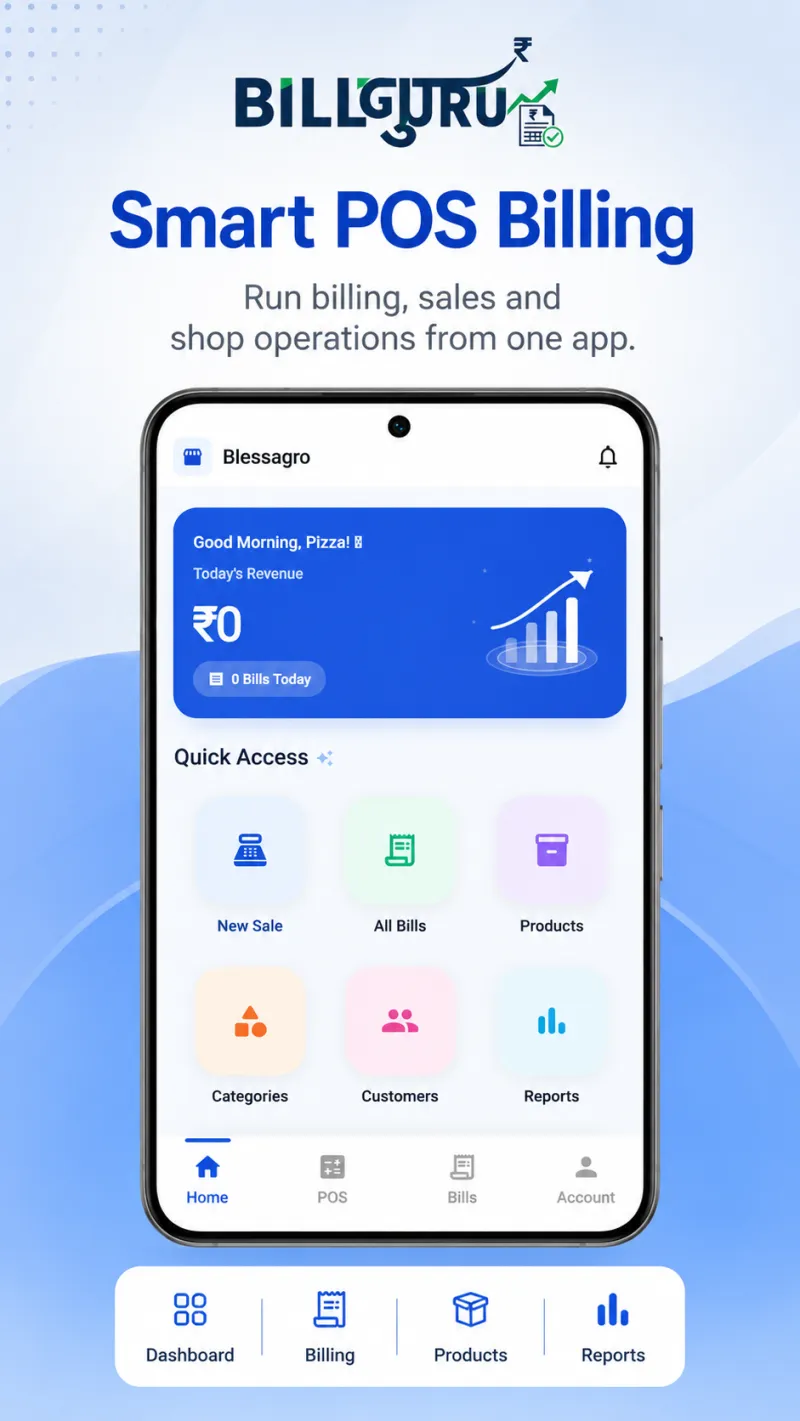
POS dashboard
Today's revenue at a glance, with one tap to a new sale, past bills or the product list.
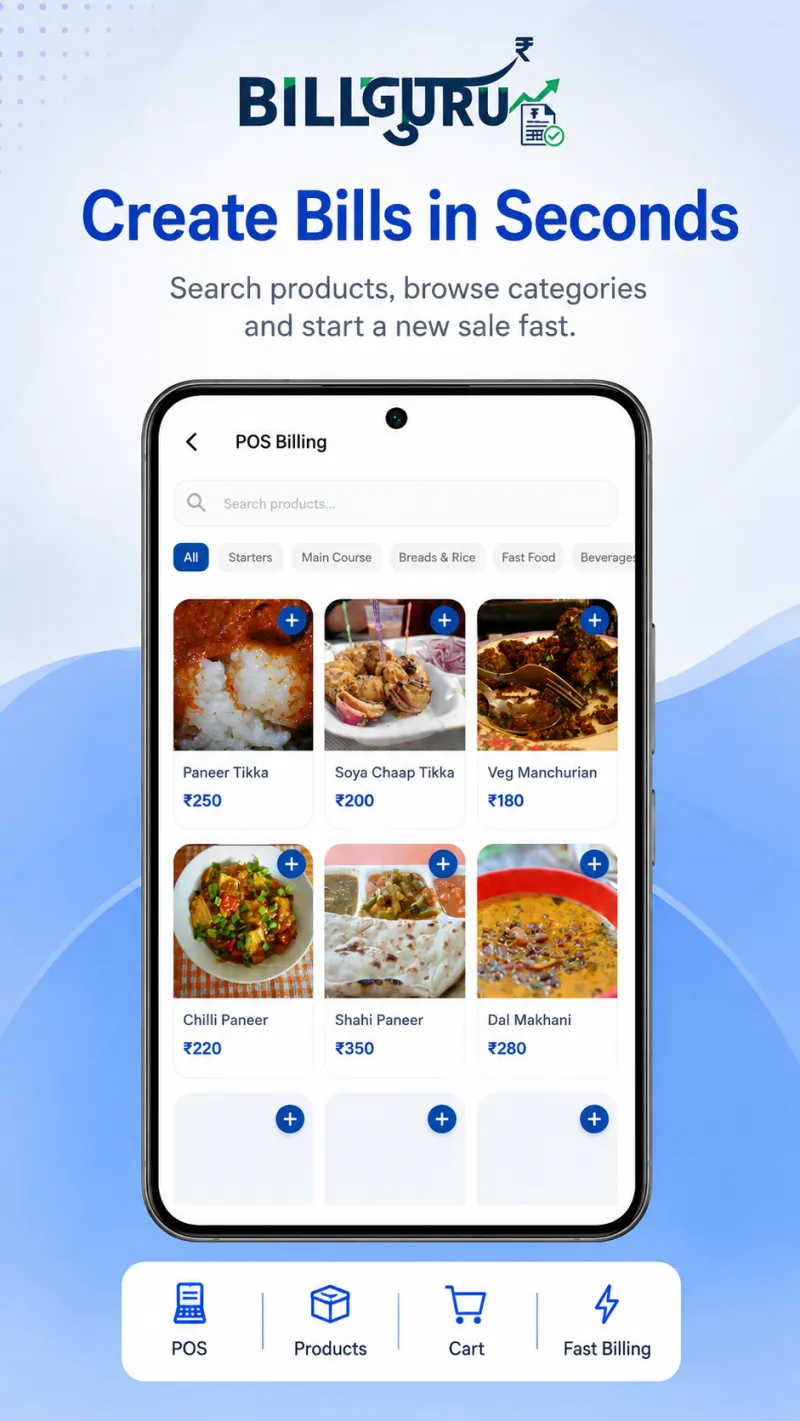
Create a bill
Search a product by name or scan its barcode, or browse by category to build the bill.
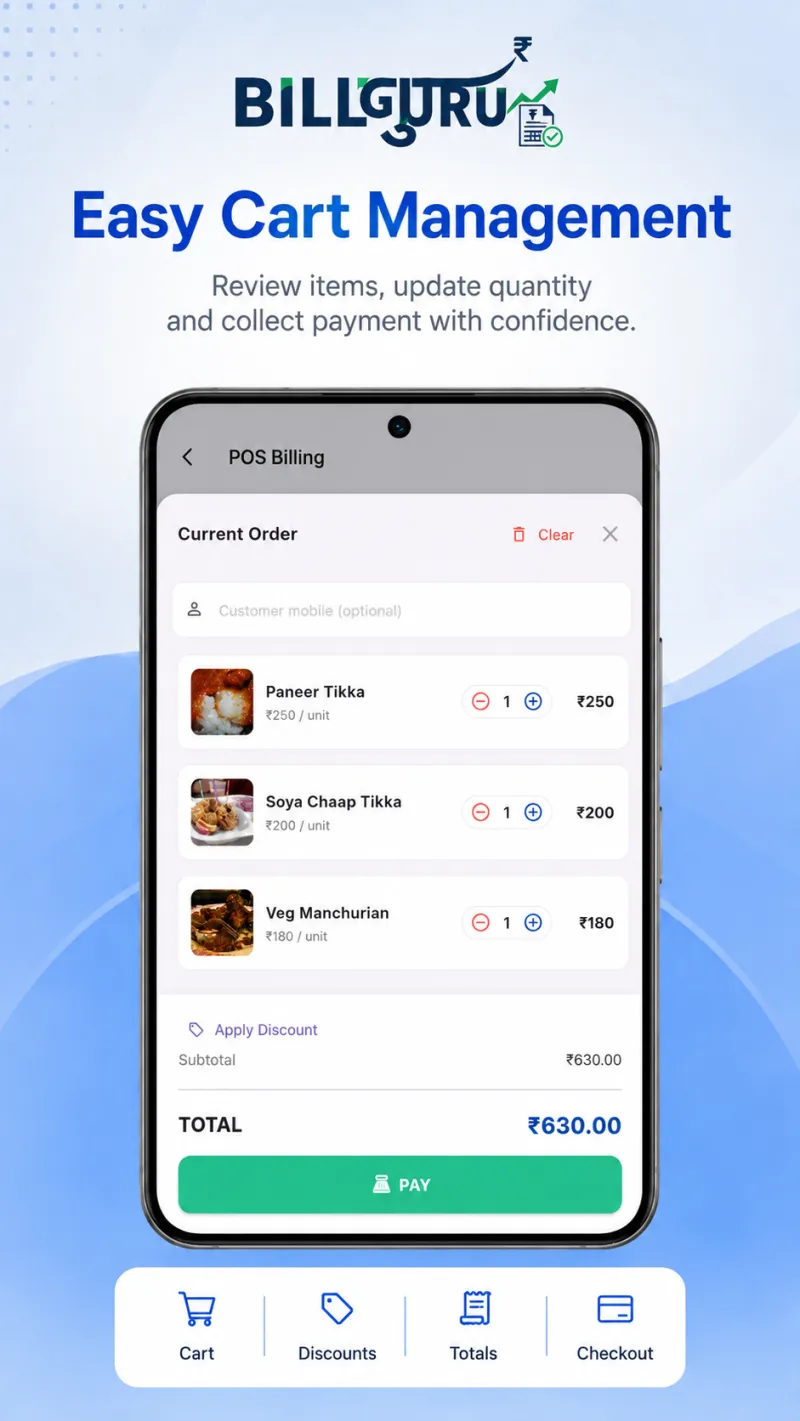
Cart and totals
Adjust quantity and discount in the cart; sub-total and tax recalculate instantly.
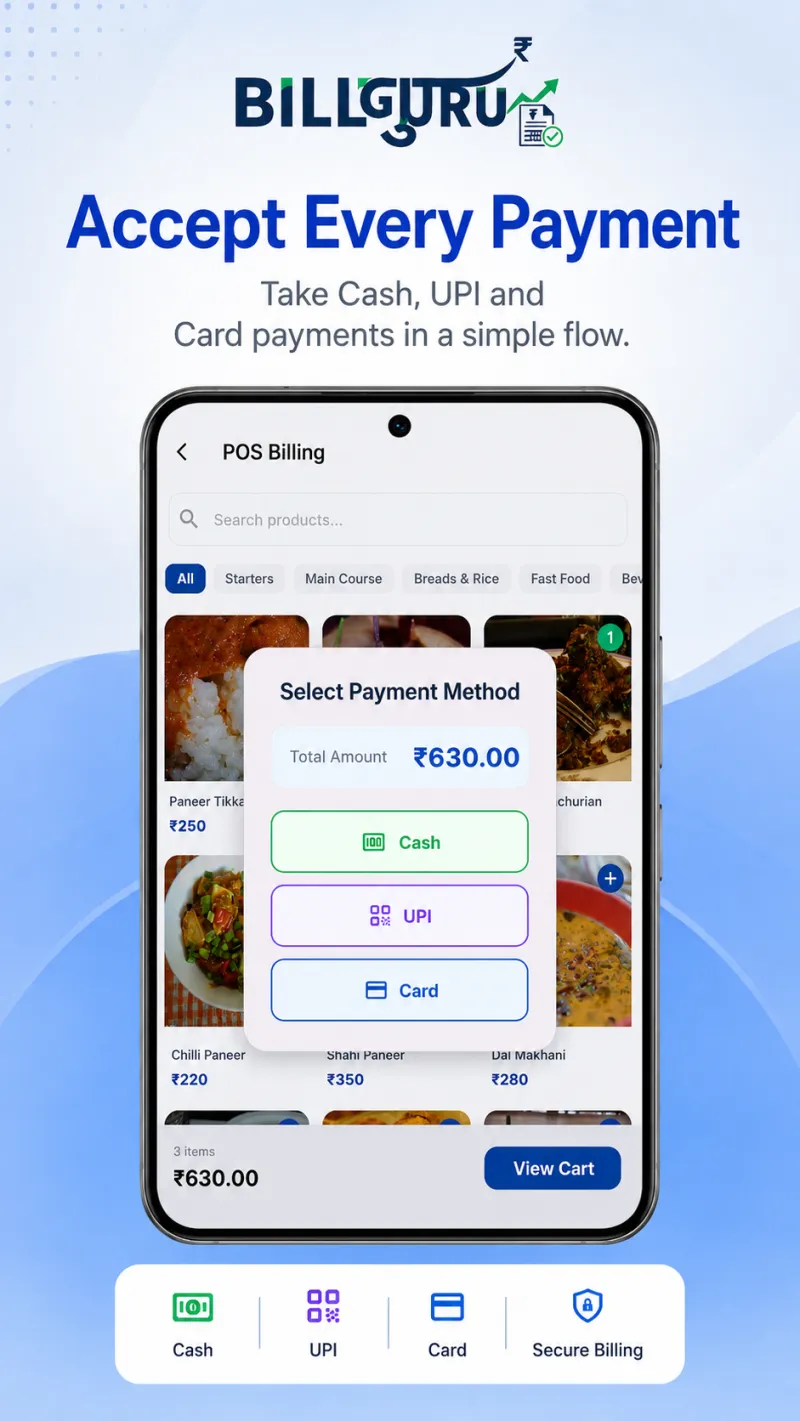
Payment modes
Record cash, UPI or card against the bill so daily collection reconciles cleanly.
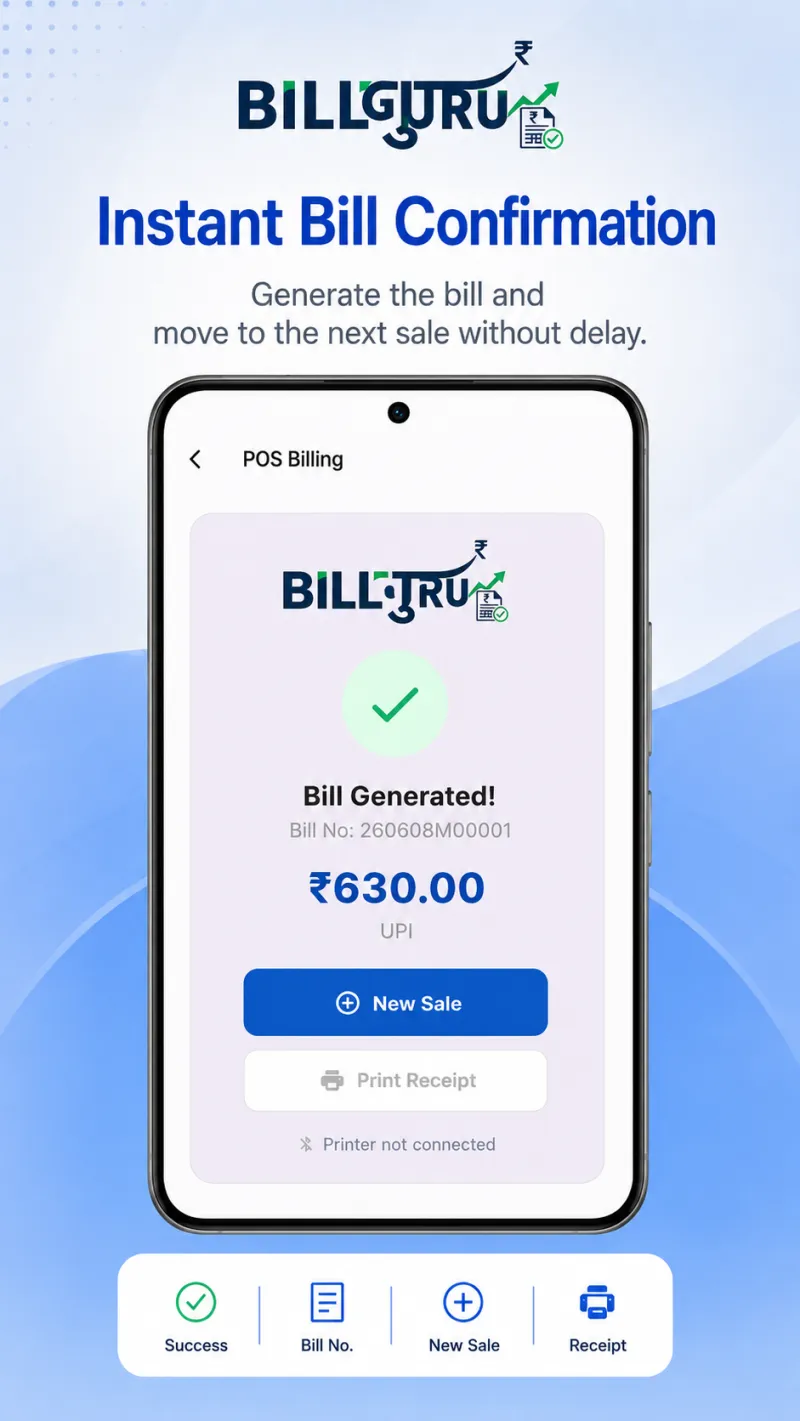
Receipt printing
Bill confirmed and ready to print on a paired 58mm or 80mm Bluetooth thermal printer.
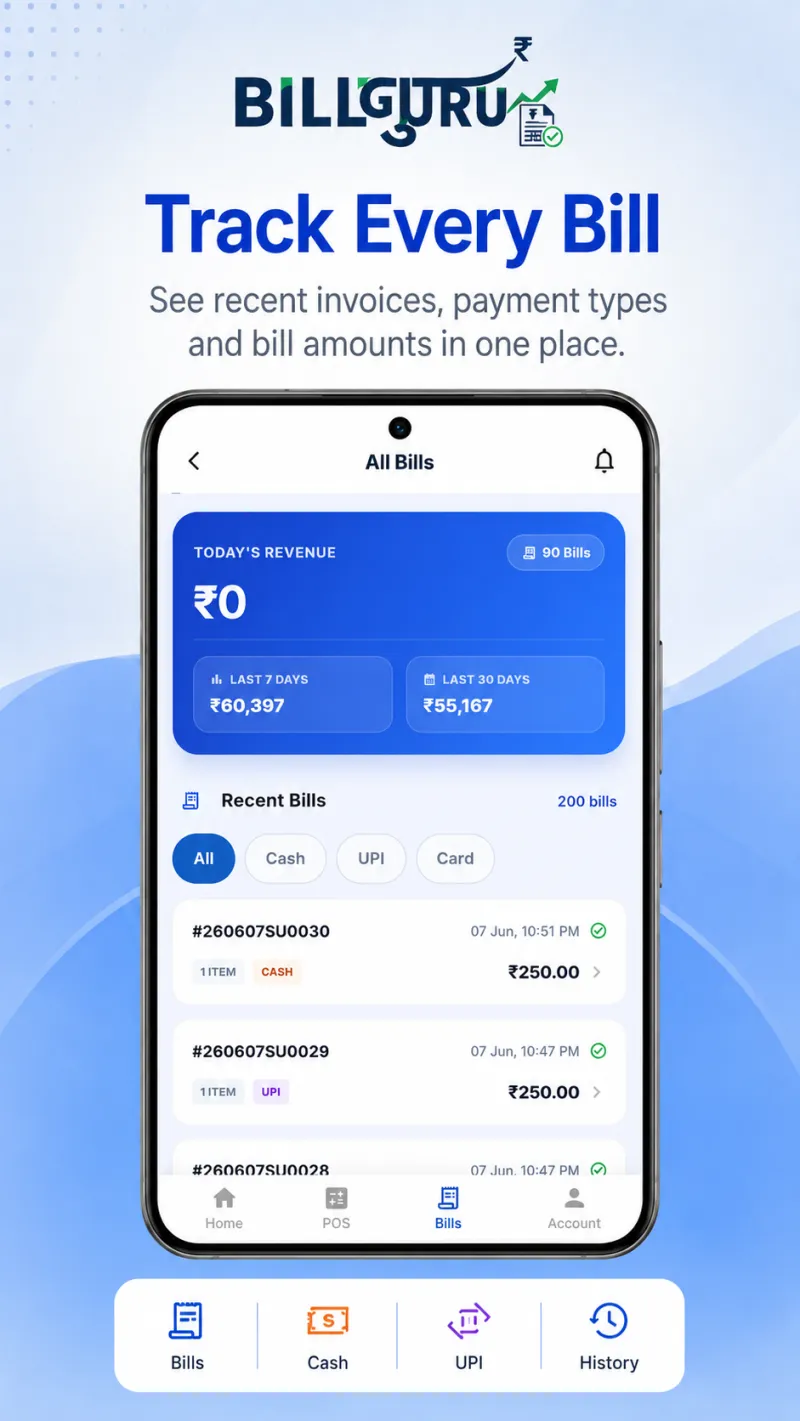
Invoice history
Every invoice in one list with payment type and amount, searchable by date.
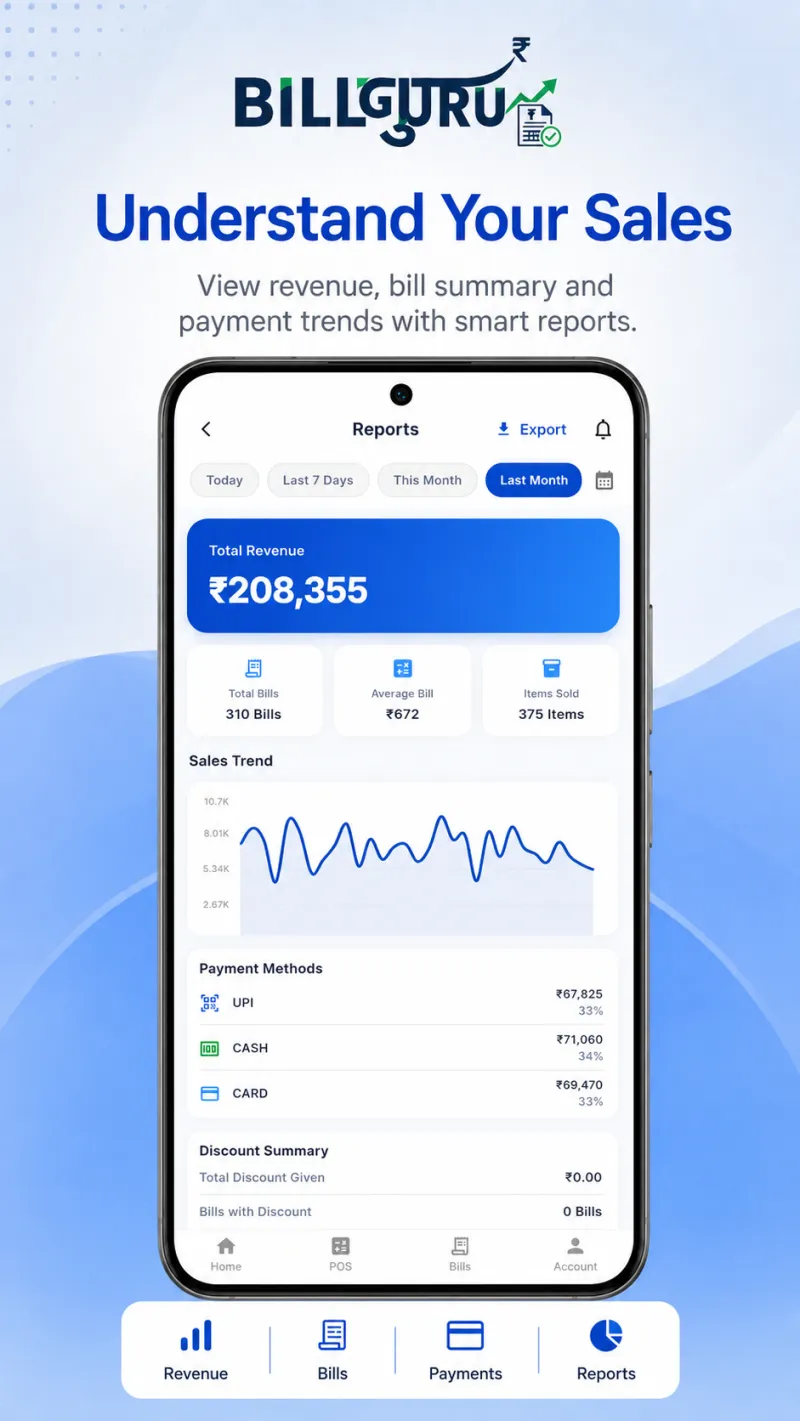
Sales reports
Revenue summary, bill counts, payment splits and trends over any date range.
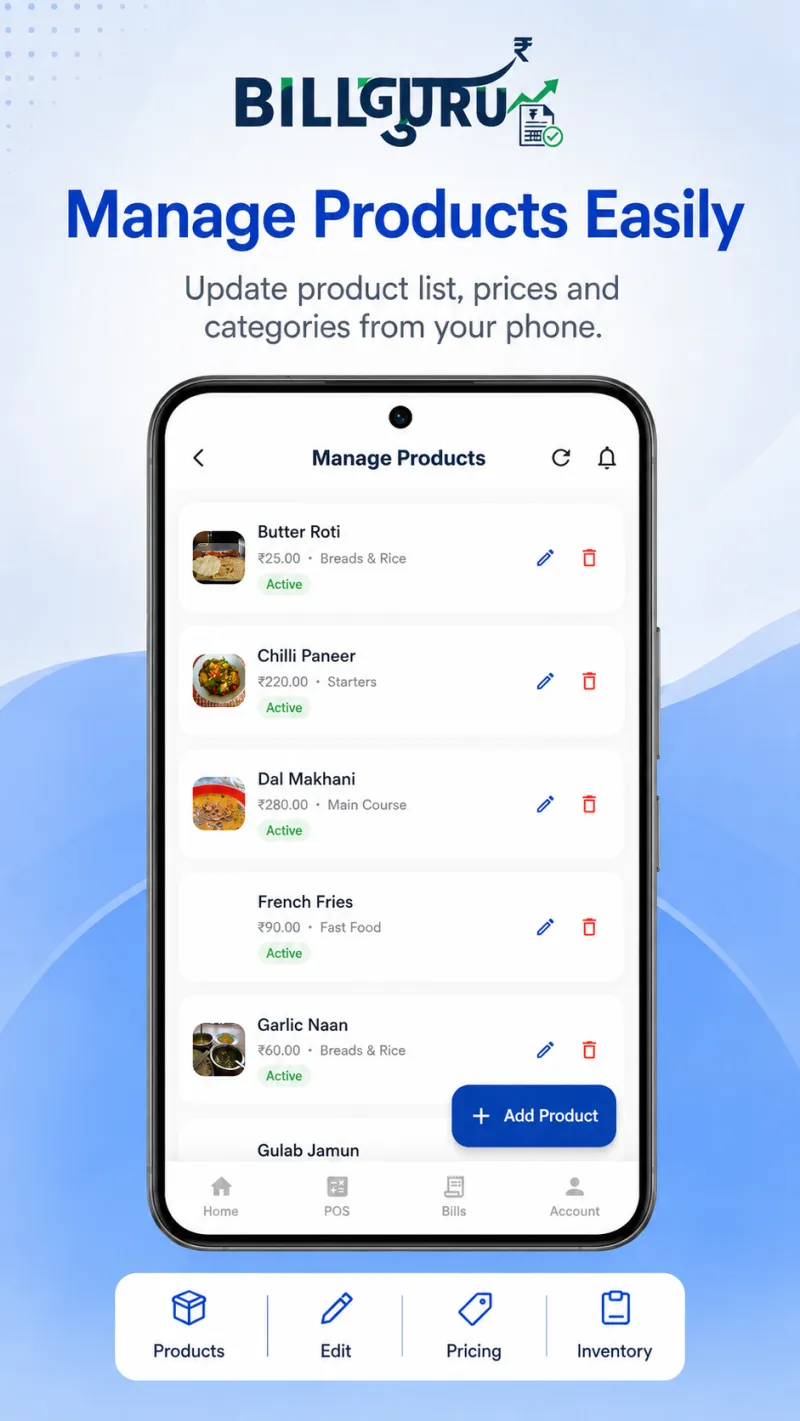
Inventory
Products with price, cost, barcode, tax, stock and category - all editable on the phone.
Manual billing vs BillGuru
Running on registers and memory
- Sales and stock tracked in separate books
- Billing stops the moment the internet drops
- Handwritten or inconsistent receipts
- Hours of manual totalling at day end
- No visibility across branches
Running on BillGuru
- Billing, stock and history in one flow
- Offline sales queue with automatic sync
- Bluetooth thermal receipts in seconds
- Automated daily, range and profit reports
- Owner, branch and role controls built in
The engineering behind BillGuru
BillGuru is an Android client backed by a cloud API. The hard problems are not the screens — they are conflict-free offline persistence, an idempotent sync queue that survives an app kill mid-upload, oversell protection when stock is edited on two devices, and printer byte streams that behave the same across a dozen thermal printer clones.
That work draws directly on the services we deliver to clients: mobile app development for the Android build, Laravel development for the sync and reporting APIs, and SaaS architecture for multi-tenant business, branch and role isolation. BillGuru is where we prove those patterns on our own product before recommending them on yours.
If your shop or distribution business needs something BillGuru does not cover — route sales, credit ledgers, ERP integration, custom tax logic or a bespoke owner dashboard — we build that as a custom system. Talk to us and we will scope it with you.
BillGuru questions, answered
Who builds and maintains BillGuru?
BillGuru is a product of Saga Softwares, the custom software team behind CRM, ERP, billing and finance systems for Indian businesses. The same team handles the Android app, the cloud sync APIs and ongoing support.
Does BillGuru work without an internet connection?
Yes. Billing and receipt printing run entirely on the phone. Sales are stored locally, queued, and synced to the server automatically once the device is back online, so a network outage never stops the counter.
What does BillGuru cost?
The Android app is free to install and use through 2026 with no feature limits. Subscription plans are planned from 2027. There is no setup fee and no hardware lock-in.
Which thermal printers are supported?
Most standard Bluetooth thermal printers using 58mm or 80mm rolls. Pair the printer in the phone Bluetooth settings first, then select it inside the app.
Can BillGuru handle GST invoices?
Yes. Tax rates are stored per product and GST features can be enabled or disabled per business, so the app suits both GST-registered shops and small non-GST counters.
Is there a web dashboard for owners?
A web dashboard is in development. Today billing, inventory and reports all run on the Android app, with data syncing to the cloud backend.
Can Saga Softwares customise BillGuru for my business?
Yes. Beyond the standard app, Saga Softwares builds tailored POS, billing and inventory systems for distributors, chains and businesses with non-standard workflows. Share your requirement and we will scope it.
Is BillGuru a free billing app for Android?
Yes. BillGuru is free to install from Google Play and free to use through 2026 with no feature limits and no ads. Subscription plans are planned from 2027. There is no setup fee and no hardware lock-in.
Can I use BillGuru as a barcode billing app?
Yes. Every product can store a barcode, so you scan at the counter instead of searching. Stock decrements automatically and oversell protection blocks billing once a product hits zero.
Does BillGuru work for a kirana or grocery store?
Yes, that is its core use case. Grocery and kirana counters get barcode scanning, fast cash and UPI checkout, low-stock alerts and daily revenue totals without any desktop hardware.
Can BillGuru replace desktop POS billing software?
For single-counter and small multi-counter retail, yes. It runs point of sale, inventory and reporting on an ordinary Android phone or tablet, so there is no PC, no license and no on-site installation to maintain.
Which devices does BillGuru run on?
Any modern Android phone or tablet. The interface is thumb-friendly and designed for a busy counter, so staff need no formal training to start billing.
Start billing on BillGuru today
Free to install, no setup cost, and it keeps billing when the internet does not.